Multi-agent desktop
Run many minds.
In parallel.
Bunshin lets you spin up AI clones from 15+ providers, give each its own persona and tools, and chat with them solo or in groups — all from one local desktop app.
macOS · Windows · Free, BYO API keys
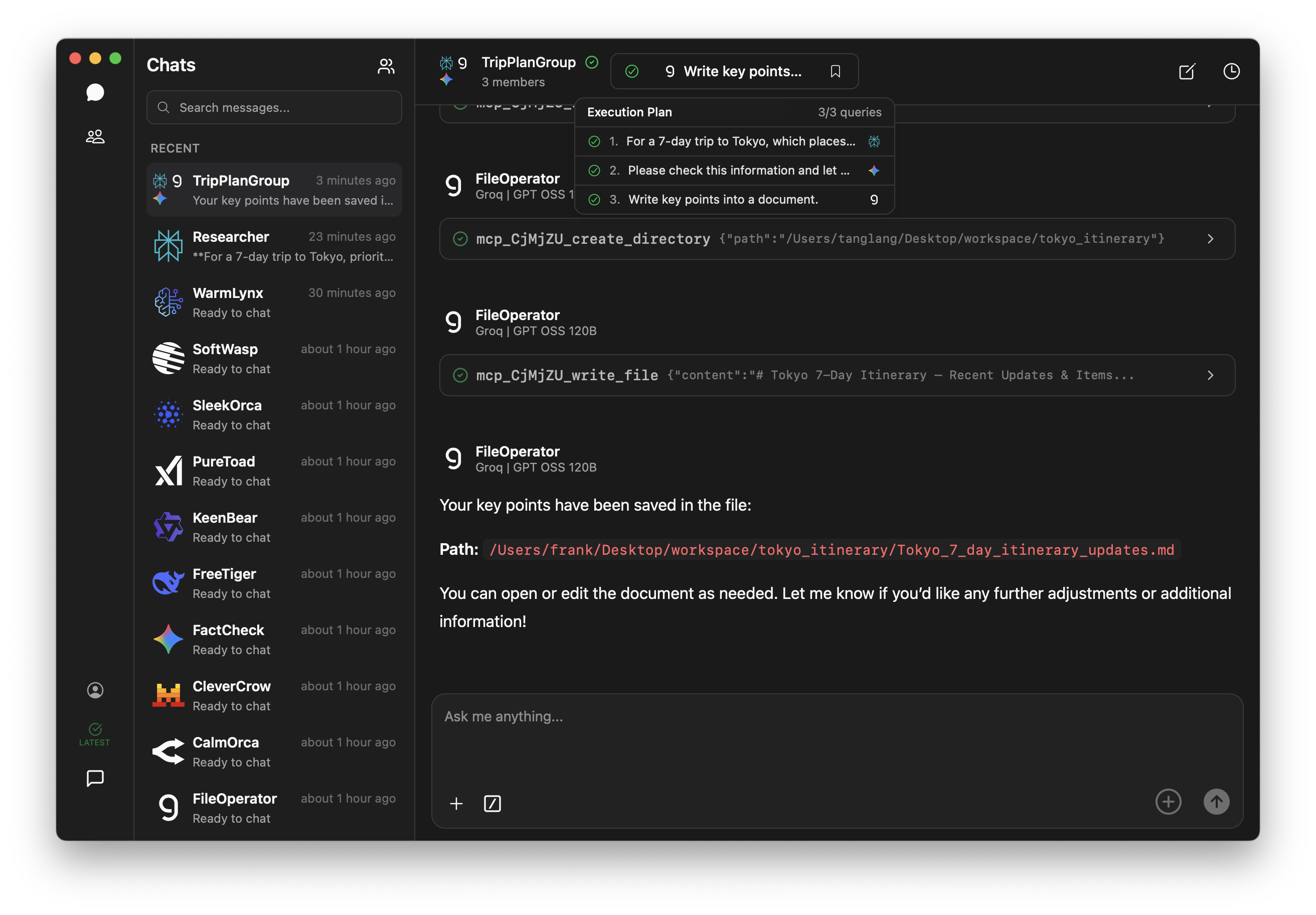
See it in motion
Plan a trip. Brief a doc. Generate a voice memo.
All from one staged prompt.
Features
Three building blocks.
One quiet desktop app.
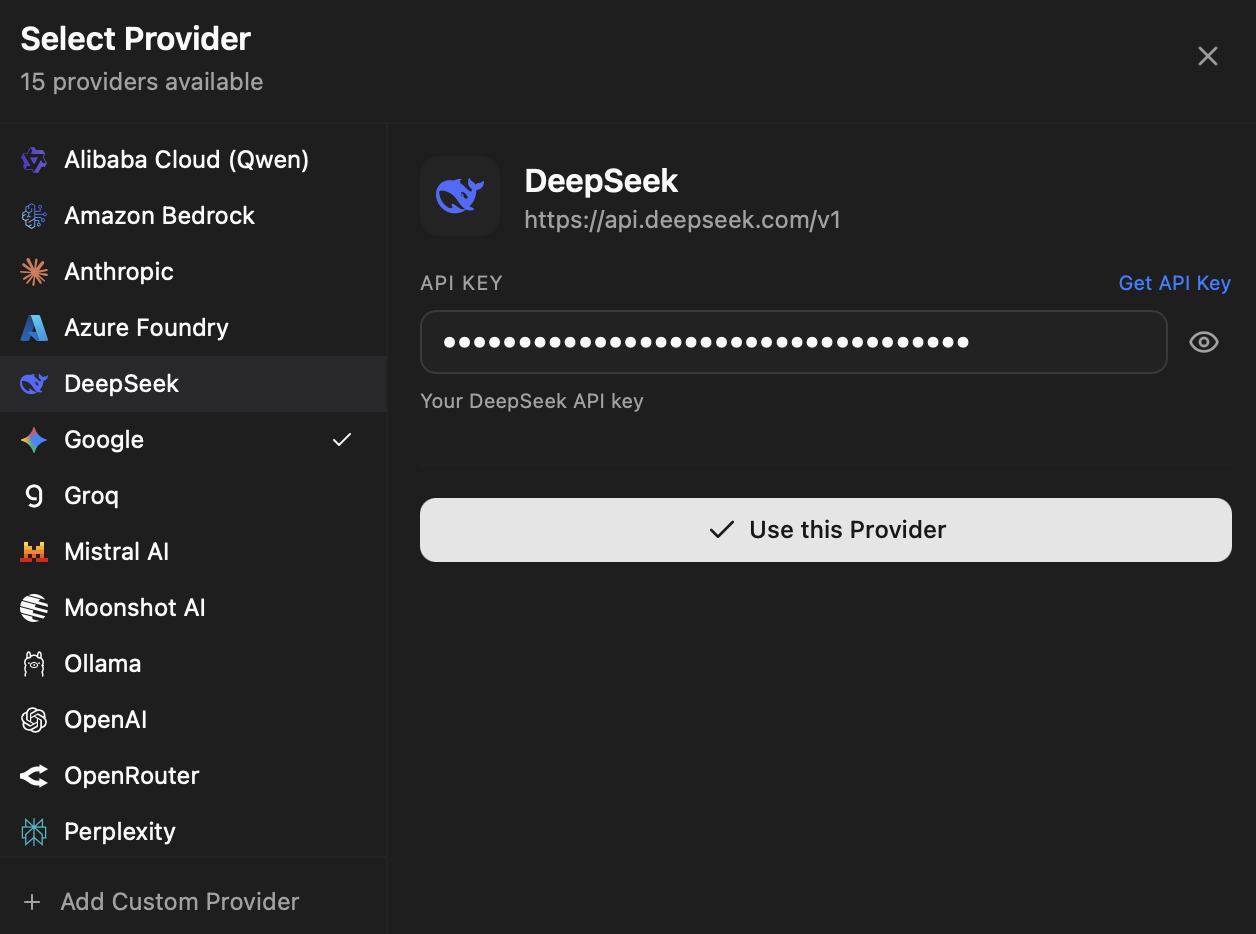
Bring any model
Anthropic, OpenAI, Google, Groq, and 10+ more.
Plug in your own API keys for 15+ providers, or point at a local Ollama. Switch models per agent, mid-conversation. No vendor lock-in, no waitlists.
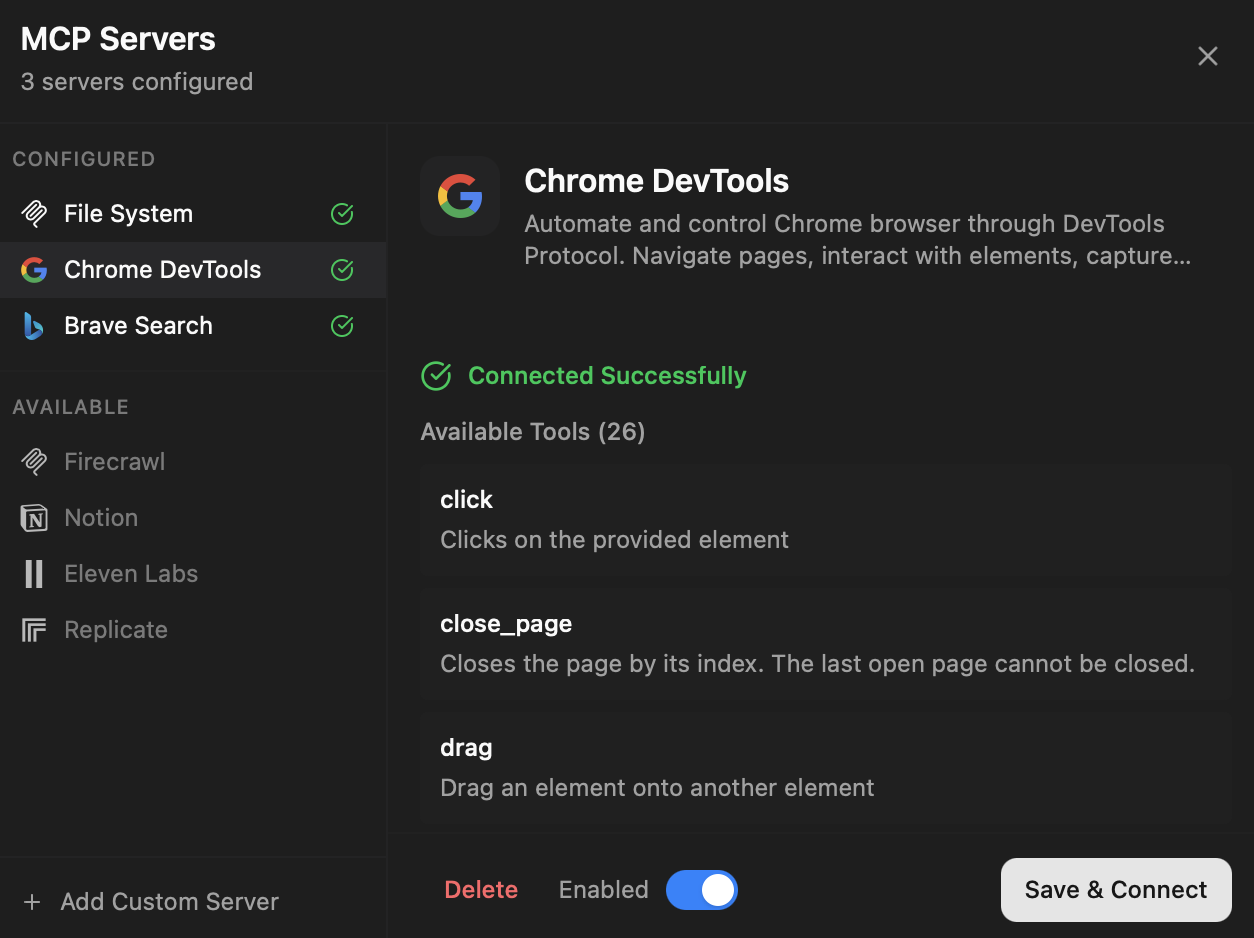
Extend with MCP
Give every agent the tools it needs.
Attach Model Context Protocol servers — file system, browser, search, your own — to any agent. Approve tool calls case-by-case, or let trusted ones run on their own.
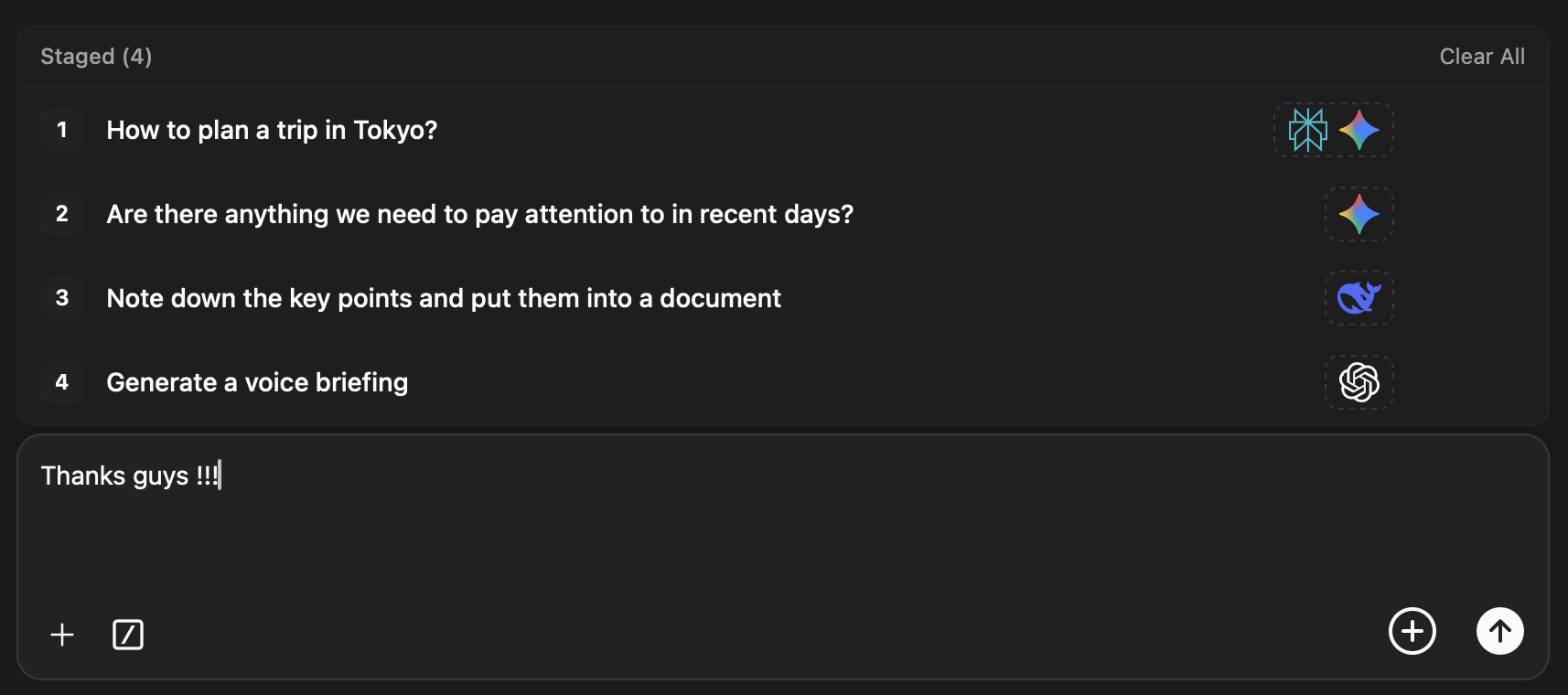
Group chats
One message. Many minds. In parallel.
Bundle agents into groups. Stage prompts, fan them out to every member at once, and watch each model answer side by side. Compare reasoning at a glance.
Local-first
Your keys, your data, your machine.
01 / Local SQLite
Conversations, agent configs, and credentials live in a SQLite file on your device. Nothing leaves your machine except the requests you send to providers you've chosen.
02 / BYO API keys
No Bunshin-hosted backend, no proxy in the middle. Calls go directly from your machine to the provider, billed to your account, on your terms.
03 / Native & signed
Built on Tauri. A real desktop app, not a browser tab. Code-signed builds for macOS and Windows, with auto-updates delivered through the official channel.
FAQ
Questions, answered.
What is Bunshin?
A local desktop app for running and orchestrating AI agents. Configure each agent with its own model, persona, and MCP tools — chat with one or fan a single prompt out to a whole group.
Which AI providers are supported?
Anthropic, OpenAI, Google, Groq, AWS Bedrock, Perplexity, DeepSeek, Mistral, Moonshot, Alibaba (Qwen), Azure Foundry, OpenRouter, Ollama for local models — plus any OpenAI-compatible endpoint via Add Custom Provider.
Do I need my own API keys?
Yes. Bunshin makes calls directly from your machine using the keys you provide. There is no Bunshin-hosted backend in the loop, and you are billed by each provider directly.
Where does my data live?
Locally, in a SQLite file on your machine. Conversations, agent configs, and credentials never leave your device unless you explicitly send them to a provider you've configured.
What are MCP servers?
Model Context Protocol servers are tool packs you attach to agents — file system, browser automation, search, your own custom server. Bunshin handles install, OAuth, and per-tool approval.
Which platforms are supported?
macOS (Apple Silicon and Intel, universal binary) and Windows (MSI installer). Updates are signed and delivered through the official auto-update channel.
Get Bunshin
Spin up your first clone.
Free. Local-first. Bring your own API keys. Available for macOS and Windows.